Attio integration
Connect Attio to Lineage and automatically import call recordings, transcripts, and meeting details.
Connect Attio to automatically import completed call recordings and transcripts into Lineage.
Before you start
You need:
- Manager or administrator access in Lineage.
- An Attio workspace with Call Intelligence enabled.
- Permission to authorize integrations in Attio.
Connect Attio
1. Open Context Sources
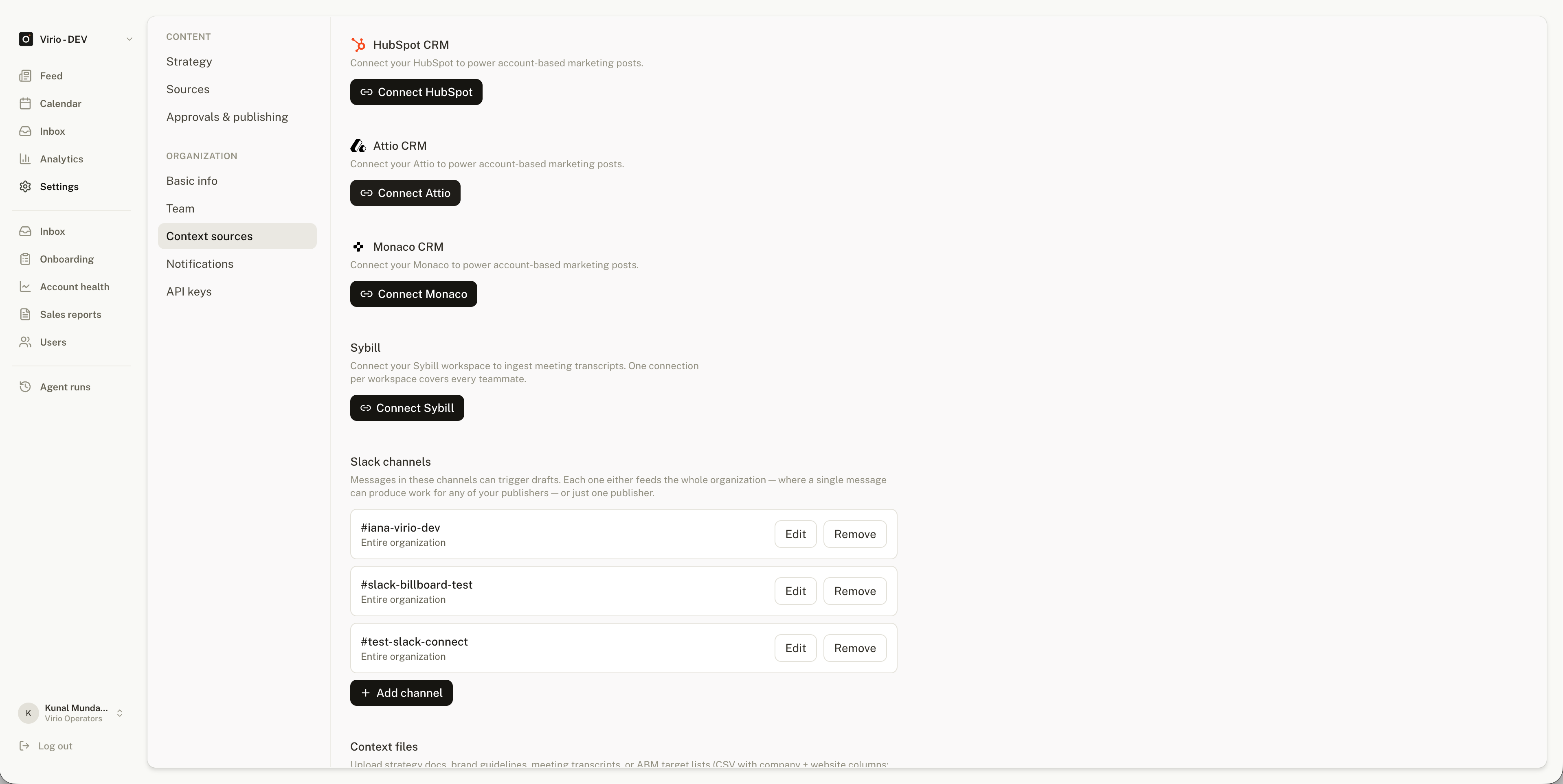
In Lineage, go to Settings > Context Sources. Find Attio CRM and select Connect Attio.
2. Authorize your Attio workspace
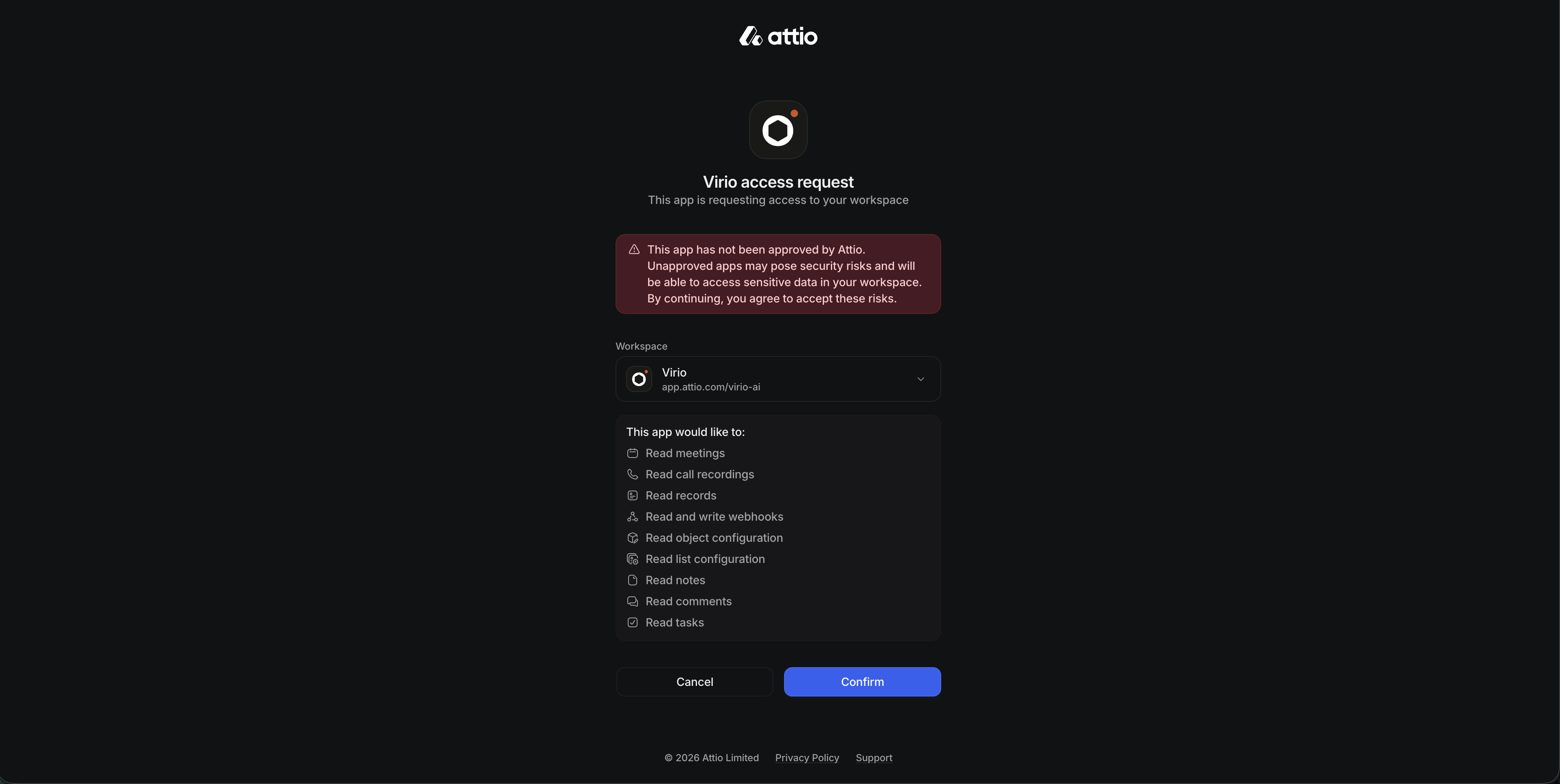
Choose the Attio workspace you want to connect, review the requested access, and approve the connection.
3. Return to Lineage
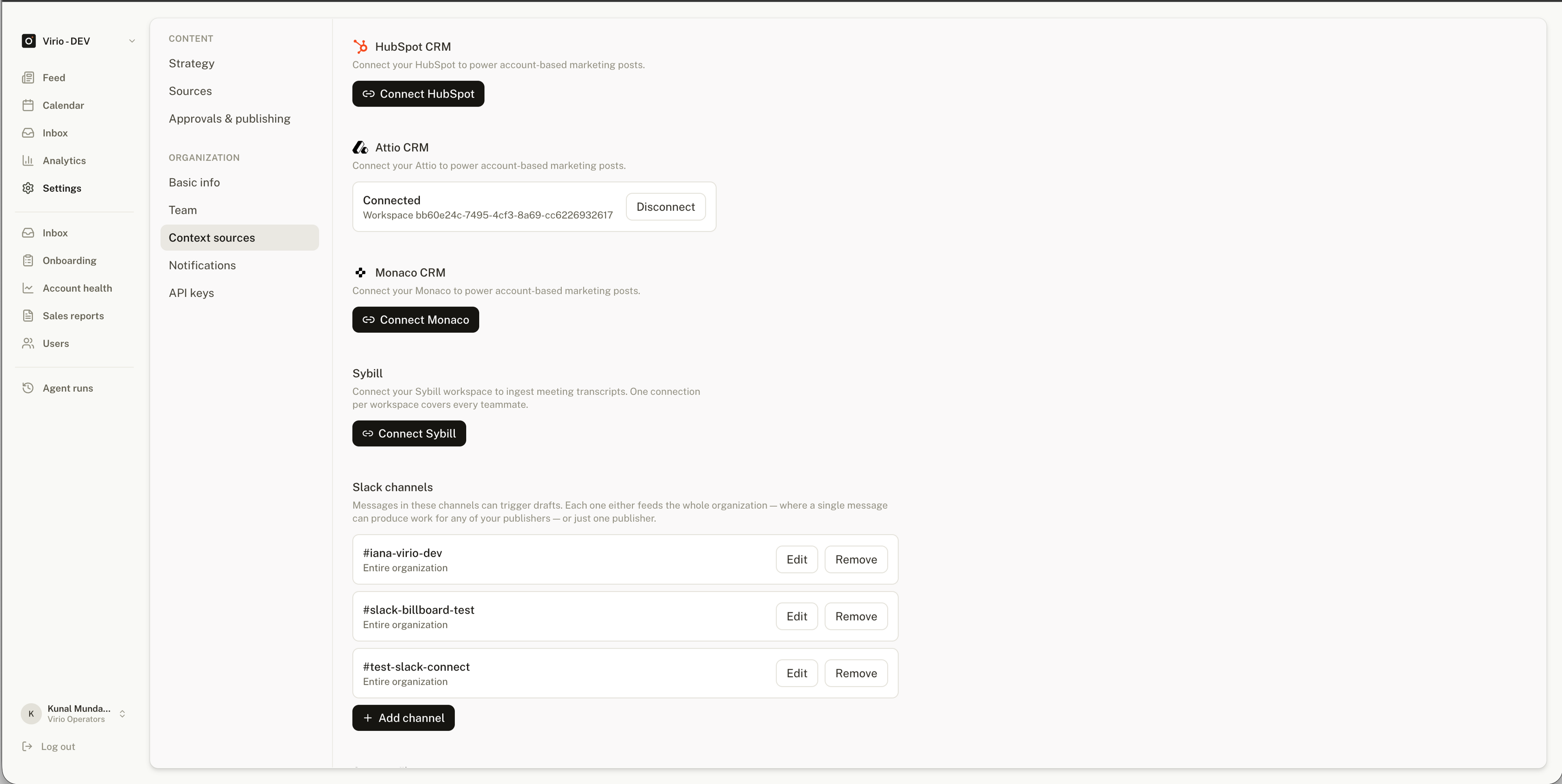
After authorization, return to Lineage. The Attio CRM card will show Connected and the connected workspace ID.
What Lineage imports
Lineage automatically imports the following from completed Attio calls:
- Recordings and transcripts.
- Meeting title, time, duration, and URL when available.
- Participants.
A recording must have a transcript before Lineage can import it. If a completed recording is missing, check that its transcript is available in Attio.
Data access
The integration is read-only. Lineage can read the meeting and recording data it needs, but it cannot create, update, or delete your Attio CRM records. Lineage securely stores the credentials used to maintain the connection.
Disconnect or reconnect
In Lineage, go to Settings > Context Sources, find Attio CRM, and select Disconnect.
To connect a different Attio workspace, disconnect the current workspace and then connect the new one.
Troubleshooting
Attio does not authorize the connection
Confirm that you can authorize integrations in Attio and that you selected the correct workspace. Then restart the connection from Settings > Context Sources.
A recording is missing in Lineage
Confirm that the recording has finished and that its transcript is available in Attio. If the recording still does not appear, reconnect Attio and try again.
Attio does not show as connected
Reload Settings > Context Sources. If the Attio CRM card still does not show Connected, restart the connection. Contact Lineage support if the problem continues.